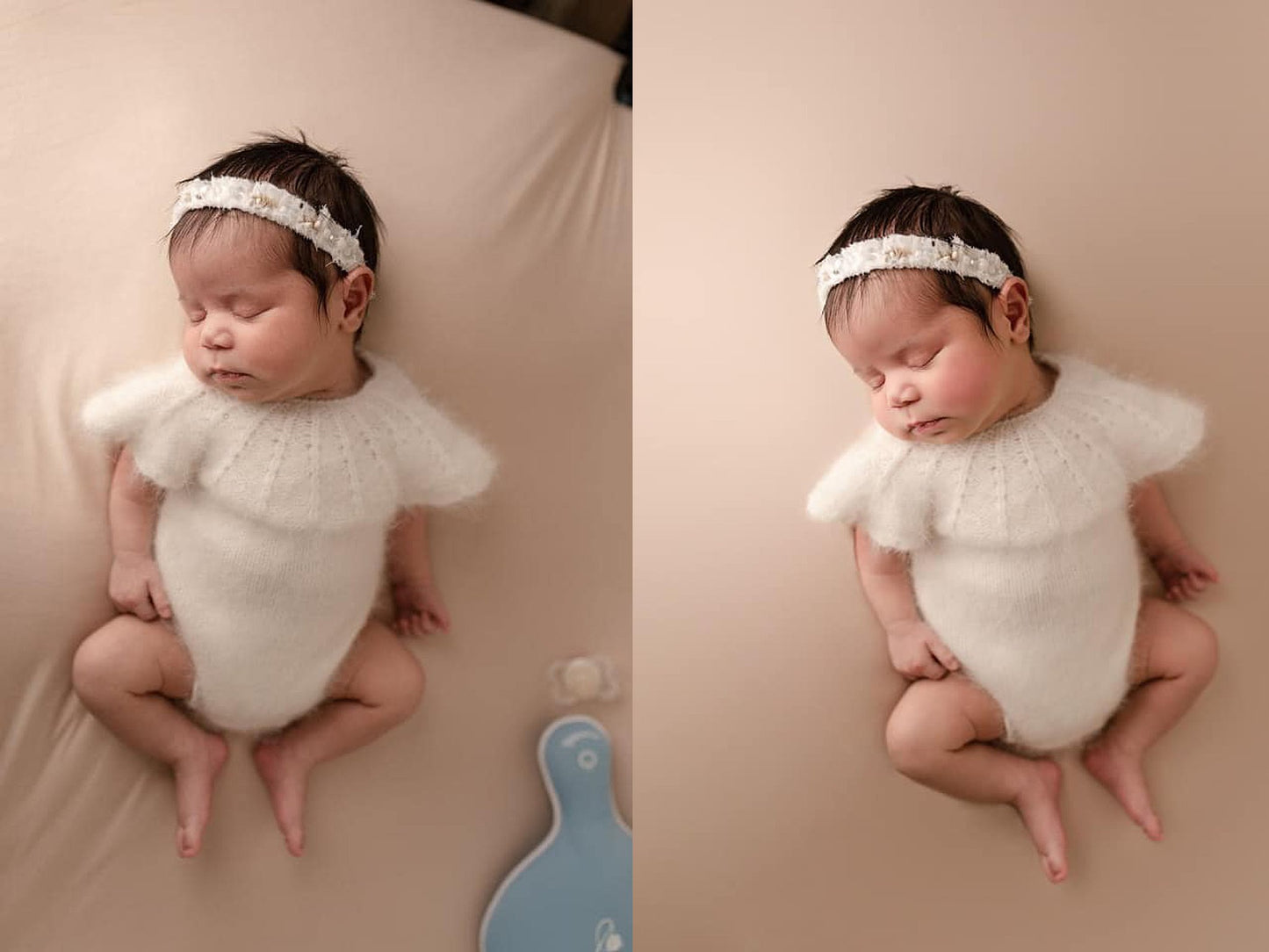
Smooth wrinkled fabric backdrops and clean up seamless paper in just a few clicks with this Photoshop backdrop smoother action, made for newborn and studio photographers. Play the action, brush around your subject, and adjust the opacity for a beautifully polished finish.
What This Photoshop Action Does
- Smooths wrinkles and texture in fabric backdrops
- Cleans up seamless paper quickly
- Creates a softer, cleaner studio look
- Saves time in your editing workflow
- Easy to use and beginner-friendly
Works on fabric backdrops and seamless paper backdrops.
How It Works
- Play the action
- Brush around your subject
- Adjust the opacity to your desired look
That's it!
Compatible With
Adobe Photoshop CC 2026. Does NOT work on iPad. You'll need the correct settings in Photoshop for the action to work.
Video Tutorial
Watch the full tutorial here: Background B*tox Photoshop action tutorial
Tips for Best Results
This action works as is and was designed to be simple and fast. Because every image and backdrop is different, occasional manual touch-ups may still be needed.
-
Works best on monochromatic setups, for example a subject in a pink dress on a pink backdrop. With contrasting colors, like a blue outfit on a white backdrop, the colors can sometimes blend together.
- If the action misses part of your subject, simply brush carefully around your subject as needed.
- Background extension results can vary depending on the colors and edges of your backdrop.
- If you notice odd colors or artifacts near the outer edges, try cropping slightly inward first, using Content-Aware Crop to extend the background, or painting the outer edges before running the action.
💡 Pair It With
Background Colortox for full backdrop control, or the Newborn & Studio Workflow Collection for a complete finishing edit.
🤍 New to Photoshop? You'll Have Me in Your Corner.
Every purchase comes with complimentary 1:1 support from me, Denise. Even if you've never opened Photoshop before, I'll personally help you install your actions and walk you through getting started, one step at a time. Just email hello@appleseedphotography.ca after your purchase and we'll get you set up.
Digital Product Information
⚠ Please read the full description before purchasing. This is a digital product; no physical item will be shipped.
Due to the nature of digital downloads, no refunds, exchanges or cancellations are available. Please download and back up your files after purchase.
For support or any questions at all, email Denise at hello@appleseedphotography.ca and you'll get a reply within 24-48 hours!
Image credit: Sarah Nichole, Stefanie Cole, Josselyn Petrus, Robyn Fugate, Kaity Logan, Lyric Jade, Shannon Campbell & Denise Jackson